Indicators and Tools for ProfitPro
Supercharge your trades on ProfitPro with high-precision compiled indicators based on Price Action and quantitative analysis.
Activation Token
Insert this token into the indicator input parameters in your platform (ProfitPro or Metatrader 5) to unlock execution. Each token is valid for 30 days.
Log in to generate your free 30-day token and download the indicators.
Free users are entitled to 1 trial token for 30 days.
Available Indicator Packages
Investorama Reversals
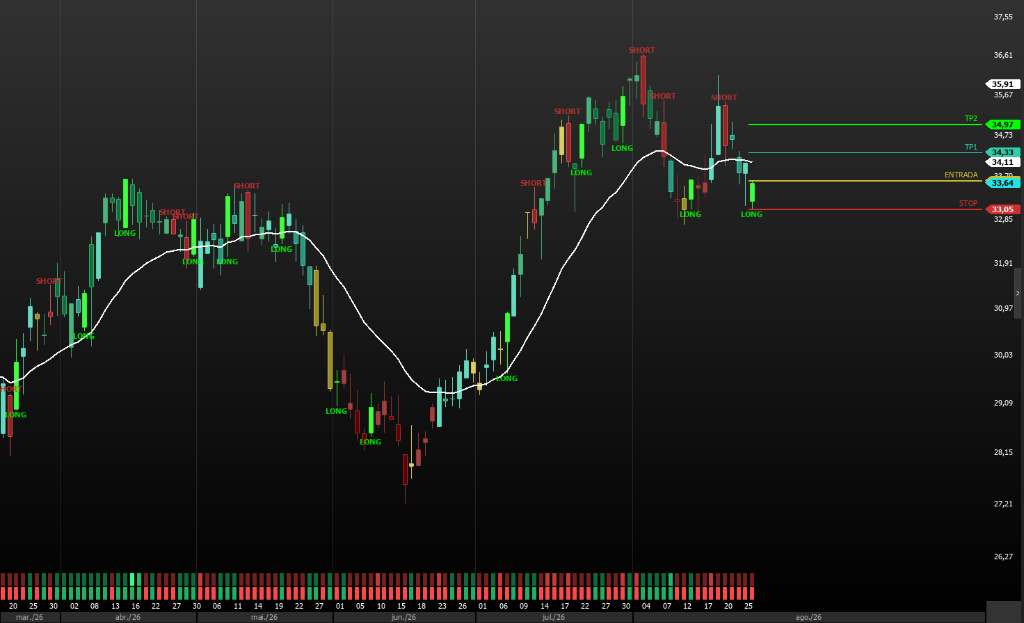
Advanced reversal and breakout failure detection system based on Price Action methodology. Identifies high-probability entries, trend exhaustion, and signal bars.
Included download files:
Reversal Indicator
investorama_reversals_indicator.zipPlots bullish and bearish reversal signals and arrows directly on the chart in real time.
Coloring Rule
investorama_reversals_colors.zipColors signal and context reversal bars (buy, sell, indecision) for rapid market reading.
Screener / Scanner
investorama_reversals_screener.zipFilter for ProfitPro Screener scanning hundreds of B3 assets simultaneously for setups.
Investorama Trends
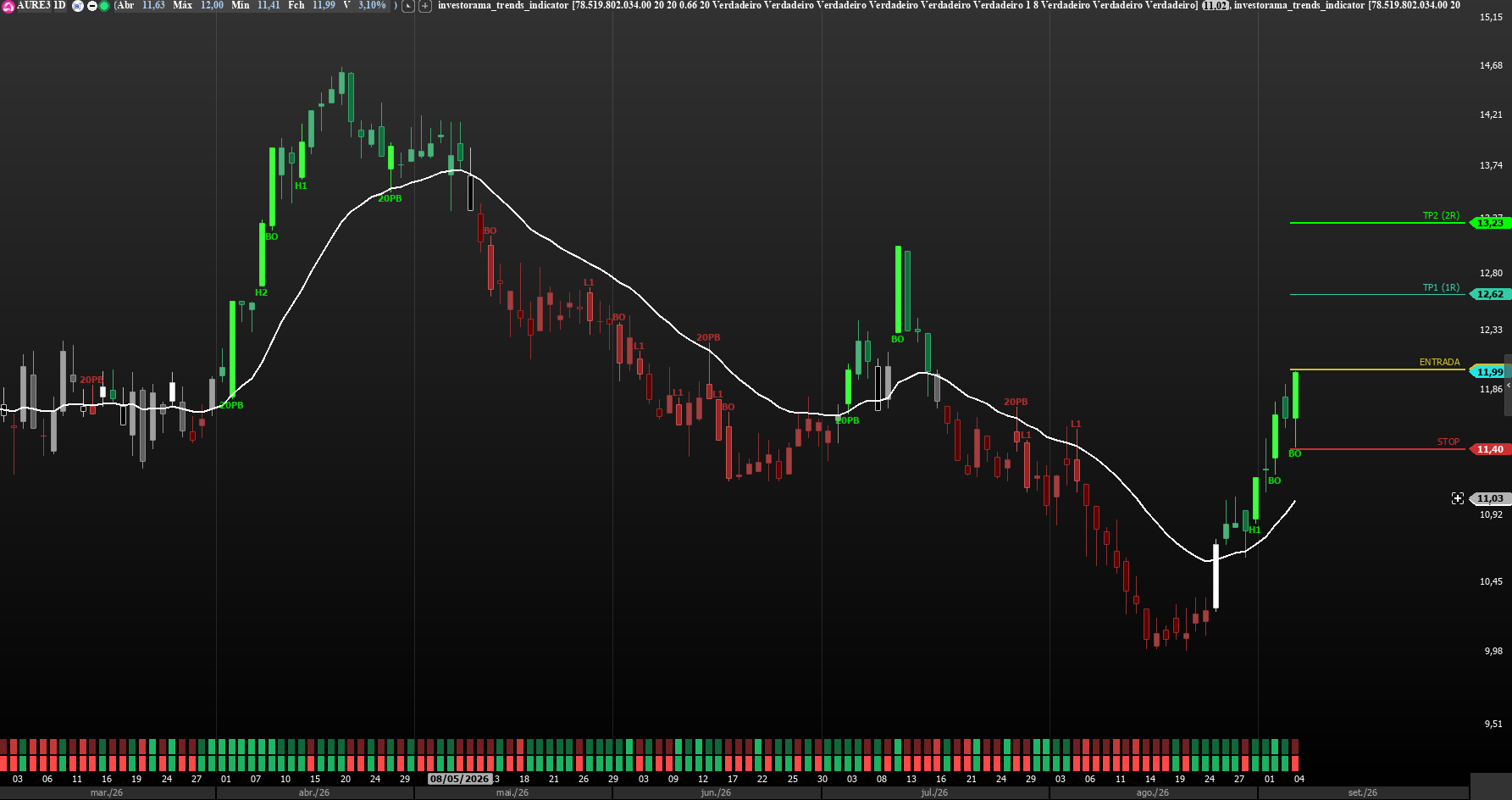
Advanced trend detection and continuation system based on Investorama's Price Action methodology. Identifies pullbacks (H1/H2, L1/L2), 20 EMA tests, breakouts, and signal bars with automated risk/reward sizing.
Included download files:
Trend Indicator
investorama_trends_indicator.zipPlots the 20 EMA, setup visual tags (H1/H2/L1/L2/20PB/BO), and projects Entry, Stop Loss, and Targets (1R/2R) on the active latest candle.
Coloring Rule
investorama_trends_colors.zipColors candles by market context: buy trigger (Lime), sell trigger (Red), bull trend (Green), bear trend (Maroon), and trading range (Gray).
Screener / Scanner
investorama_trends_screener.zipFilter for ProfitPro Market Screener scanning hundreds of B3 assets in real-time for active trend setups.
Investorama Ranges
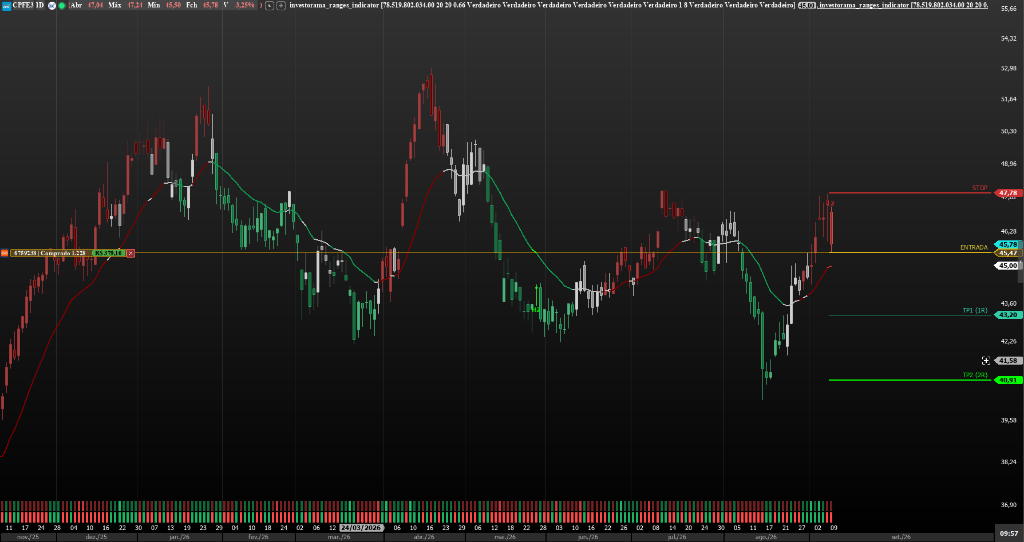
Advanced system for detecting and mapping sideways movements based on the Investorama Trading Ranges methodology. It identifies the Rule of Thirds (support, resistance, and neutral middle third), breakout failures at extremes (Fade Breakout - FBO), secondary entries (H2/L2), Breakout Pullback (BP), and a Barbwire/TTR filter with automatic sizing based on the Trader's Equation.
Files included for download:
Trading Range Indicator.
investorama_ranges_indicator.zipMaps the range limits, 20 EMA, setup markers (FBO/H2/L2/BP), and projects Entry, Stop Loss, and Targets (1R/2R) on the last active candlestick.
Coloring Rule
investorama_ranges_colors.zipColor candles based on operational context: buy (Lime), sell (Red), support (Green), resistance (Maroon), barbwire (Gray), and middle third (Silver).
Screener / Tracker
investorama_ranges_screener.zipFilter for the ProfitPro Tracker that scans hundreds of assets on the B3 in real-time for signals of Trading Ranges.
How to Install on ProfitPro
Follow the simple step-by-step guide to import and activate .nel / .zip files in ProfitPro
1. Download the Files
Download the Indicator, Colors or Screener above and unzip the file on your computer.
2. Import into ProfitPro
In ProfitPro, navigate to Strategies > Strategy Manager (or Import/Export), click Import and select the file.
3. Insert on Chart
Right-click on the chart > Insert Indicator (or Insert Coloring Rule) and search for the desired indicator (e.g. 'Investorama Reversals' or 'Investorama Trends').
4. Set up Token
In indicator properties, find the Token input parameter and paste your 30-day numeric token generated at the top of this page.